How to offer same-day and next-day delivery on Shopify
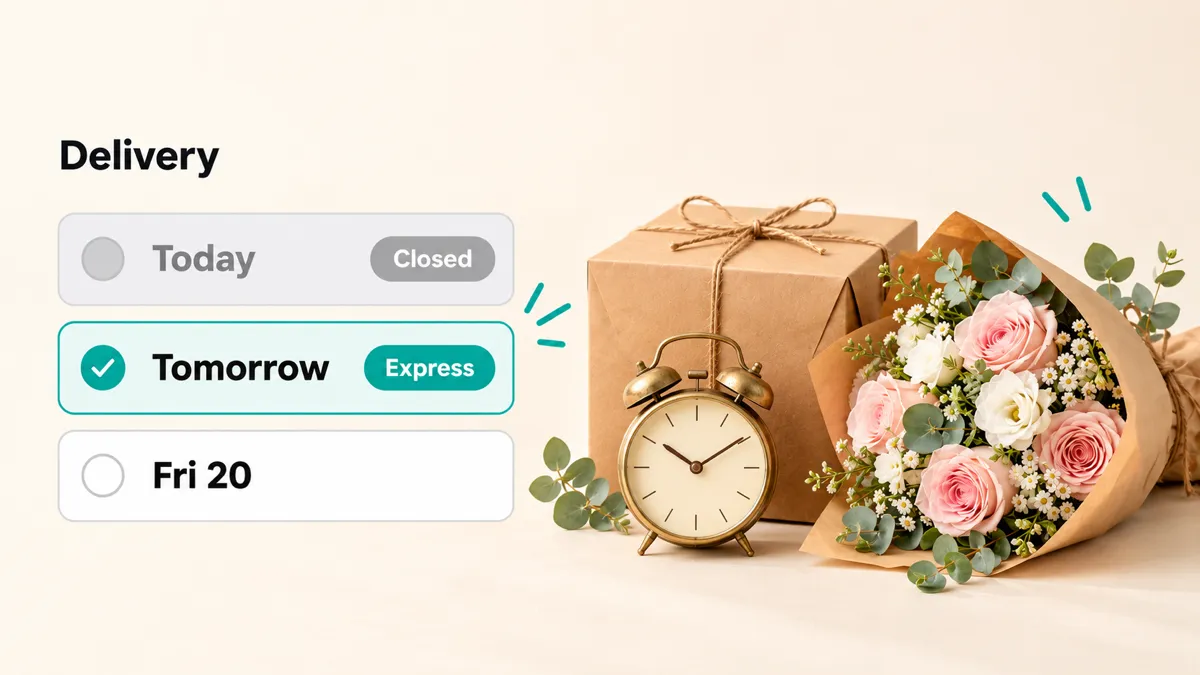
Express delivery on Shopify comes in two shapes. If you ship parcels, add a faster rate, such as Express, beside your standard one in Shopify’s shipping settings, and checkout can show customers when it should arrive. If you deliver locally or customers collect, like a bakery or a florist, express means today or tomorrow, and whether you can still promise that depends on the time they order and how much you can still make. Shopify doesn’t let customers choose a delivery date, so it can’t close today at your cut-off or charge more for tomorrow. For that, add a delivery date app like Buunto – Delivery Date Picker: customers pick their date before checkout, today disappears once your cut-off has passed, and an express surcharge can be added for the dates closest to today.
What Shopify does on its own
Shopify gives you more than you might think, as long as you ship.
Shipping rates. In Settings > Shipping and delivery, you can add more than one rate to a shipping zone, for example Standard and Express, each with its own price. Give a flat rate a transit time and checkout shows an estimate: in the US, Express is 1 to 2 business days and Standard 3 to 4 (Shopify Help Center). Add your processing time and Shopify can show expected delivery dates, with a business day cut-off fixed at 12 pm in the shipping location’s time zone (Shopify Help Center). Transit times are available for locations in the US, Canada, the UK, France, Germany, Italy, Spain and Australia.
Local delivery. You draw delivery zones by postcode or by distance from each location, and give each zone a price, a minimum order and up to three price tiers by order value. There’s also a free-text “delivery information” message, a good place to say something like “Order by 11am for delivery today” (Shopify Help Center).
What Shopify doesn’t do:
- Let customers choose a day or a time. Local delivery and pickup have no date at checkout, so “today” and “tomorrow” aren’t options a customer can pick.
- Enforce your own cut-off for local orders. The delivery information message tells customers your cut-off; it doesn’t stop a 4pm order expecting delivery at 5.
- Charge more for a sooner date. Each local delivery zone has one delivery price, set by order value, not by how soon the order is due.
- Know when a day is full. Nothing stops ten more same-day orders arriving after your van is already loaded.
If you only ship parcels nationwide, Shopify’s Express rate and delivery dates are probably all you need. If you deliver or hand over orders yourself, read on.
The four things express delivery needs
Same-day and next-day delivery run on four settings. Get them right and express orders look after themselves.
1. A cut-off time
“Same day if you order by 11am” is a promise you need your store to keep for you. In Buunto, you set a cut-off time and a preparation time for each delivery method, and you can override them for a product or a pickup location. Once the cut-off has passed, customers can no longer choose today, and the earliest date moves to tomorrow. This is on every Buunto plan, Free included.
2. A preparation time for each product
A bouquet can go out the same day, a tiered cake can’t. Settings per product or collection let a wedding cake need three days’ notice while a loaf or a posy stays available for today. Customers only ever see the dates you can really make.
3. A price for speed
Rushing an order costs you something: a second driver run, a baker coming in early, a florist dropping what they’re doing. An express surcharge passes that cost on. You choose how many days the express window lasts, such as same day or next day, and the product that carries the charge. When a customer picks a date inside the window, Buunto adds the charge to their cart, and removes it if they switch to a later date. You can also give the surcharge its own cut-off, so an order placed late in the day counts as express one day further out. You can show the extra cost beside each time slot in the date picker, so customers can weigh speed against price before they choose (delivery surcharges guide).
Express isn’t the only kind of surcharge. You can also charge more for early-morning slots, Saturdays or one date like Christmas Eve, as explained in charge extra for selected delivery slots. Surcharges are on Buunto’s Advanced plan ($19.99 a month) and up.
4. A limit on how many orders you take
Same-day orders all land on the same day by definition, so a busy morning can fill it before lunch. Give each day, and each time slot, a maximum number of orders. When today is full, customers simply pick tomorrow. You can set separate limits for delivery and for pickup, and a different limit on a single date when you’re short-staffed or expecting a rush. See how to limit orders per day on Shopify. Order limits are on the Advanced plan and up.
What happens after the customer chooses
The date and time slot are saved on the order: in its tags and order details, in your emails, on POS receipts and in the Shopify admin, so whoever packs the van can sort today’s orders from tomorrow’s at a glance. Buunto also checks at checkout that a date was chosen and shows it in checkout’s delivery options, on every Shopify plan, Basic included. If you plan routes with EasyRoutes by Roundtrip, Buunto works with it on every plan.
Tips for running express delivery
- Set the cut-off from when you start packing, not when you close. If the van leaves at 1pm and packing takes an hour, an 11am cut-off leaves you room for the order that comes in at 10:59.
- Keep the express window short. Same day and next day is what customers expect to pay more for. A surcharge that reaches three days out starts to feel like a tax on ordering.
- Give express its own limit on busy days. A lower limit on today and tomorrow during a rush protects the orders that were booked weeks ago.
- Say it everywhere. Put your cut-off in Shopify’s delivery information message and on your product pages, so customers know before they reach the date picker.
Which approach is right for you?
| You… | Use |
|---|---|
| Ship parcels and want a faster option | Shopify’s Express rate with a transit time |
| Deliver locally or offer pickup, and want same-day or next-day | A delivery date app with cut-off times, an express surcharge and daily limits |
| Want a courier to collect each order on demand | A courier app from the Shopify App Store, alongside your date picker |
Buunto’s Free plan covers cut-off and preparation times. Express surcharges and order limits are on the Advanced plan ($19.99 a month), with a 14-day free trial. See how this works for bakeries and florists, or try Buunto free on the Shopify App Store.