How to set a delivery radius on Shopify, then add delivery days and limits
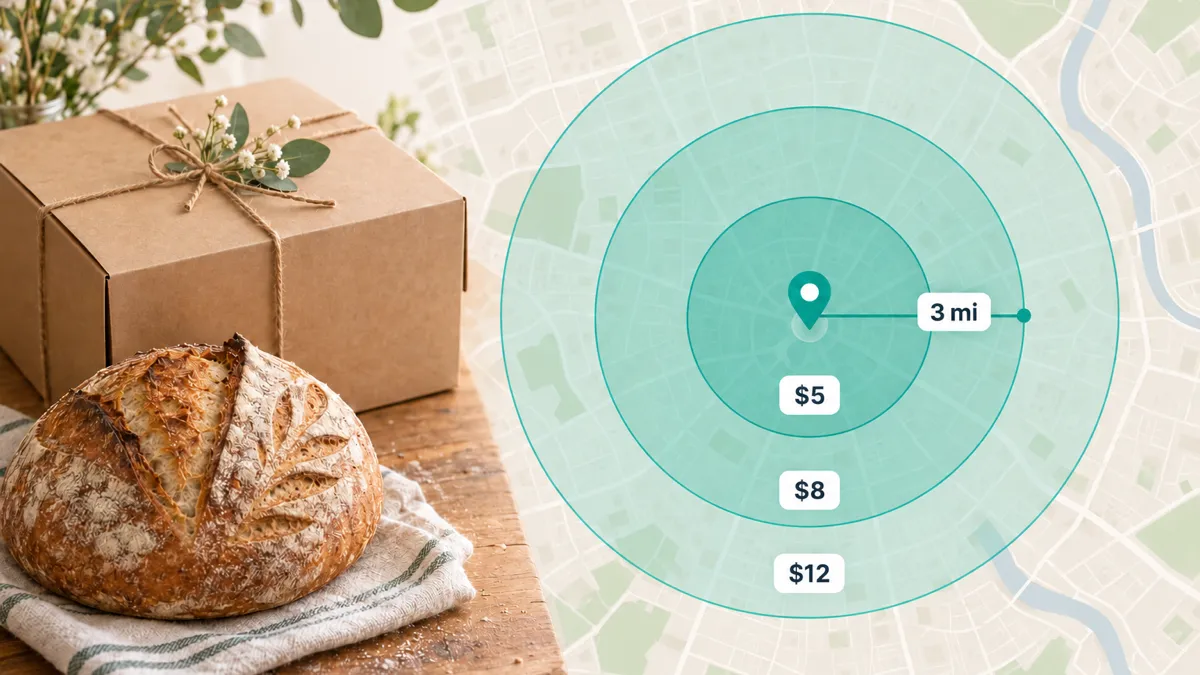
You can set a delivery radius in Shopify itself: go to Settings > Shipping and delivery > Local delivery, choose your location, select Set a delivery radius and add a zone with a distance, a price and an optional minimum order. What Shopify doesn’t let you do is choose your delivery days and times, cap your orders per day, or charge more for Saturday mornings. Buunto adds those to the same distance zones.
How to set a delivery radius in Shopify
- In your Shopify admin, go to Settings > Shipping and delivery.
- Under Local delivery, choose the location you deliver from and turn on delivery from it.
- Under Delivery zones, select Set a delivery radius and choose miles or kilometres.
- Click Add zone, then enter how far the zone reaches, its delivery price (0 for free delivery) and, if you like, a minimum order price.
A few limits, from Shopify’s help center:
- Up to 10 delivery zones per location, each with its own price.
- A radius of less than 100 miles (160 kilometres).
- Your business address must be verified before you can use a radius.
- If a customer falls in more than one zone, they pay the lowest price.
That’s enough to say who you deliver to and what it costs. It says nothing about when.
What a Shopify delivery radius doesn’t do
Your customer reaches checkout, sees “Local delivery” with a price, and pays. They can’t choose a day or a time, so you find out when they’re expecting their order by email or phone. Nothing stops ten orders landing on a day you can deliver five. And a Saturday delivery costs the same as a Tuesday one.
Until recently, Buunto’s postcode checker asked you to list every postcode in each zone. Now you can use the same distance zones as in Shopify and keep everything else Buunto offers.
Set up your zones the same way as in Shopify
Add a delivery area, choose to match by distance and enter a radius in miles or kilometres. Each area has its own price and minimum order, just like a Shopify delivery zone:
- Within 1 mile: $5
- Within 3 miles: $8, with a $30 minimum order
- Within 6 miles: $12, with a $50 minimum order
There’s no need to look up every street and village inside your radius, or to worry that a missing postcode turns away a customer around the corner. If a few places need special treatment, you can still add a postcode list for them, and it takes priority.
Then add delivery days, times and limits
Your customer enters their postcode, Buunto places them in the right zone and shows them only the delivery options that apply to them:
- Your delivery days and time slots, with your own cut-off times and preparation time
- Daily and per-slot order limits, so you never take more orders than you can deliver (see how to limit orders per day on Shopify)
- Surcharges for the days, dates or time slots you choose, like an extra $5 for Saturday morning
- A separate schedule for each shop. If you deliver from more than one location, each can have its own days, limits and surcharges, and Buunto picks the nearest one that delivers to your customer
At checkout, they see one clear delivery option with the price for their zone:
Local delivery - Main Street Bakery - Within 3 miles (Friday 23 October, 9am - 11am) - $8.00
If they then enter a different postcode at checkout, Buunto asks them to go back and check it, so nobody ends up with a price meant for somewhere closer.
Good to know
Distances are measured in a straight line from your shop to the centre of the customer’s postcode, not by road.
That makes them only as precise as the postcode itself. A UK postcode covers a handful of streets, while a US ZIP code can stretch over several miles. Every address in a postcode falls in the same zone, so if large postcodes sit near the edge of a zone, or your roads wind a lot, give yourself a small margin.
Get started
Delivery areas by distance are part of the postcode checker, available on the Advanced and Unlimited plans. In Buunto, go to Settings > Locations, click Add delivery area under a delivery location and choose Match by distance from this location.
If you’d rather deliver to a list of postcodes than to a radius, read how to offer local delivery only to some postcodes on Shopify. Follow our postcode checker guide for the full setup, and our checkout delivery options sync guide to give each zone its own price.