Only show delivery dates to customers in your delivery zone

Offering local delivery or click-and-collect is great - until a customer outside your area places an order and you have to cancel it. That’s a refund, a frustrated customer, and time wasted on both sides.
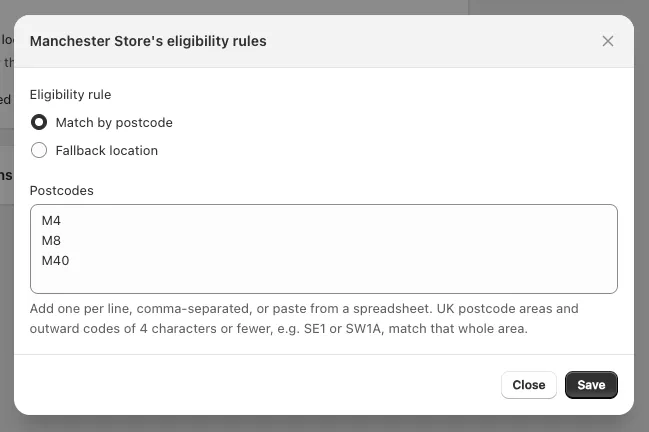
Postcode checker solves this at the source. Define which postcodes are eligible for each of your delivery and pickup locations, and customers will need to confirm their postcode before they can book a date.
How customers experience it
When a customer reaches the date picker, they see a postcode input before any dates are shown. If their postcode is in your zone, the relevant locations and available dates appear as normal. If it isn’t, they see a message explaining that delivery isn’t available in their area.

Flexible rules per location
Each delivery location and pickup location can have its own postcode rules. You can use any combination of:
- Exact match - specific postcodes only (e.g.
EC1A 1BB) - Prefix match - all postcodes starting with a given prefix (e.g.
EC1covers the whole district) - Range - all postcodes between two values, useful for numeric postcode formats
This means you can configure tighter rules for a location that only covers part of a city, and broader rules for one that covers a wider area.
Messages you control
You choose what customers see at each step: the prompt asking for their postcode, the confirmation when they’re in your zone, and the message when they’re not. All messages support translation for international stores.
For the full setup guide, see our documentation.